
KVM Lite Remote Access

RemoDev

Compact, plug-and-play KVM-lite solution engineered for secure, real-time remote access to edge systems over VPN. Eliminate the need for on-site presence and reduce operational costs.
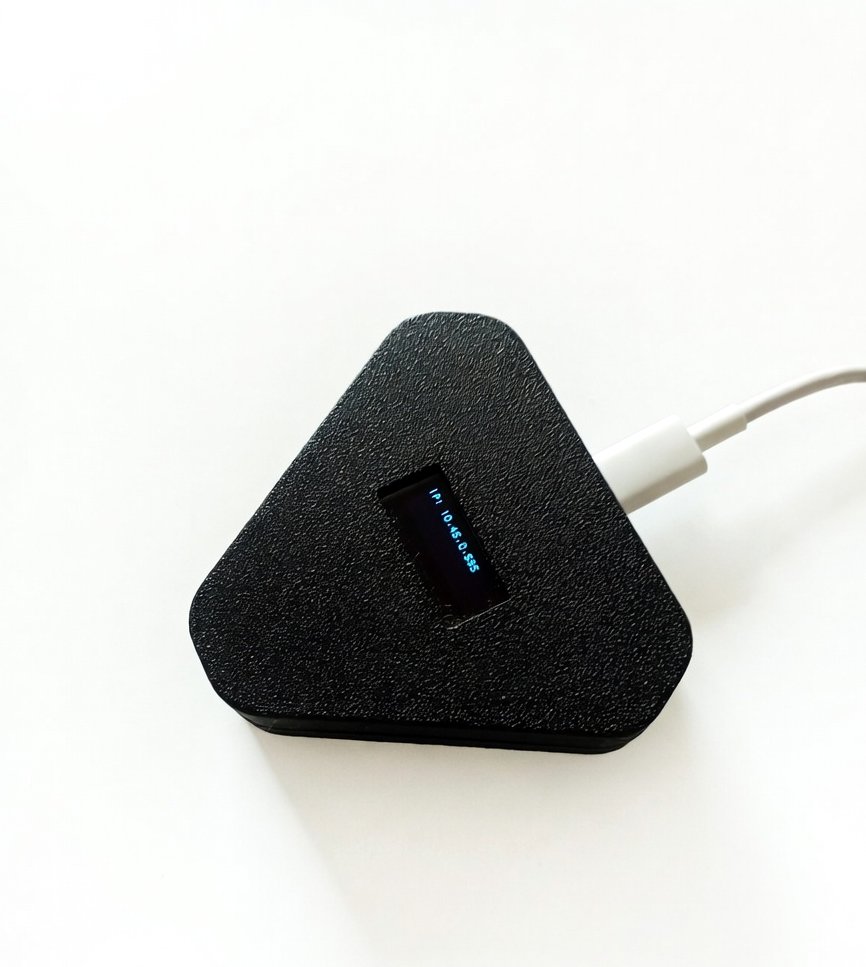
RemoDev Remote Access Device

Key Features

Designed for modern IT infrastructure, industrial environments, and remote operations, RemoDev simplifies access while maintaining enterprise security.

πŸ”Œ

Plug & Play Deployment

No drivers or host-side installation required. Simply connect and start.

  • βœ“ Zero host-side software dependency
  • βœ“ Automatic boot and connectivity
  • βœ“ Universal compatibility with laptops/edge systems
  • βœ“ Rapid field deployment
πŸ”’

Secure VPN-Based Access

Access systems remotely through encrypted VPN tunnels for enterprise-grade security.

  • βœ“ End-to-end encryption
  • βœ“ Secure authentication protocols
  • βœ“ VPN tunnel stability
  • βœ“ Dedicated remote bridge
⌨️

Terminal (CLI) Access

Full command-line control for advanced operations, debugging, and system management.

  • βœ“ Real-time terminal responsiveness
  • βœ“ Advanced debugging capabilities
  • βœ“ Full shell environment access
  • βœ“ Low-latency CLI execution
🌐

Web-Based GUI Config

Easy setup and management through a clean, intuitive browser interface.

  • βœ“ Browser-based dashboard
  • βœ“ Simplified network configuration
  • βœ“ Status monitoring at a glance
  • βœ“ User-friendly control panel
πŸ”—

Server Integration Ready

Seamlessly integrates with centralized monitoring and control systems.

  • βœ“ Centralized dashboard support
  • βœ“ API-ready for automation
  • βœ“ Scalable multi-device management
  • βœ“ Enterprise infrastructure alignment
πŸ“¦

Compact & Portable

Lightweight and easy to deploy across multiple environments with a magnetic base.

  • βœ“ Ultra-compact form factor (50x50x10mm)
  • βœ“ Lightweight 100g design
  • βœ“ Magnetic base for easy mounting
  • βœ“ Rugged fanless cooling

Usage & Setup

Quick and easy deployment process in 5 simple steps.

1

Plug & Power

Connect RemoDev to the target laptop or system using USB for power and attach the Ethernet cable to your local network. The device boots automatically.

2

Access Configuration Panel

Open a browser and enter the default IP address of RemoDev to launch the built-in Web GUI.

3

Configure Network & VPN

Set IP configuration (Static/DHCP), enter VPN credentials, and configure security parameters.

4

Start Remote Access

Connect via VPN from your remote location and access the system using CLI or integrated interface.

5

Manage & Monitor

Perform remote diagnostics, control operations, and integrate with server dashboards if required.
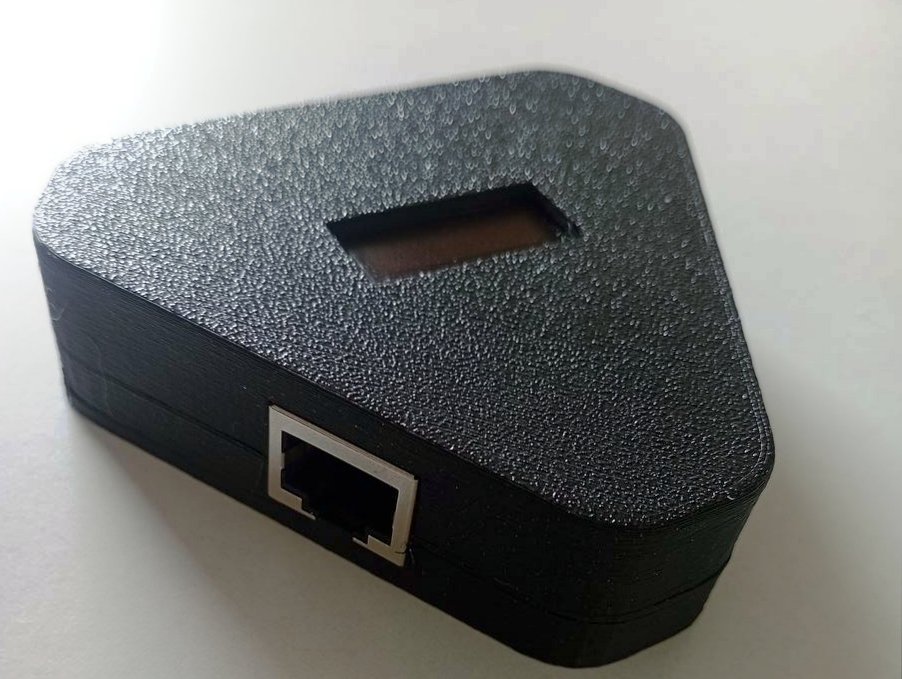
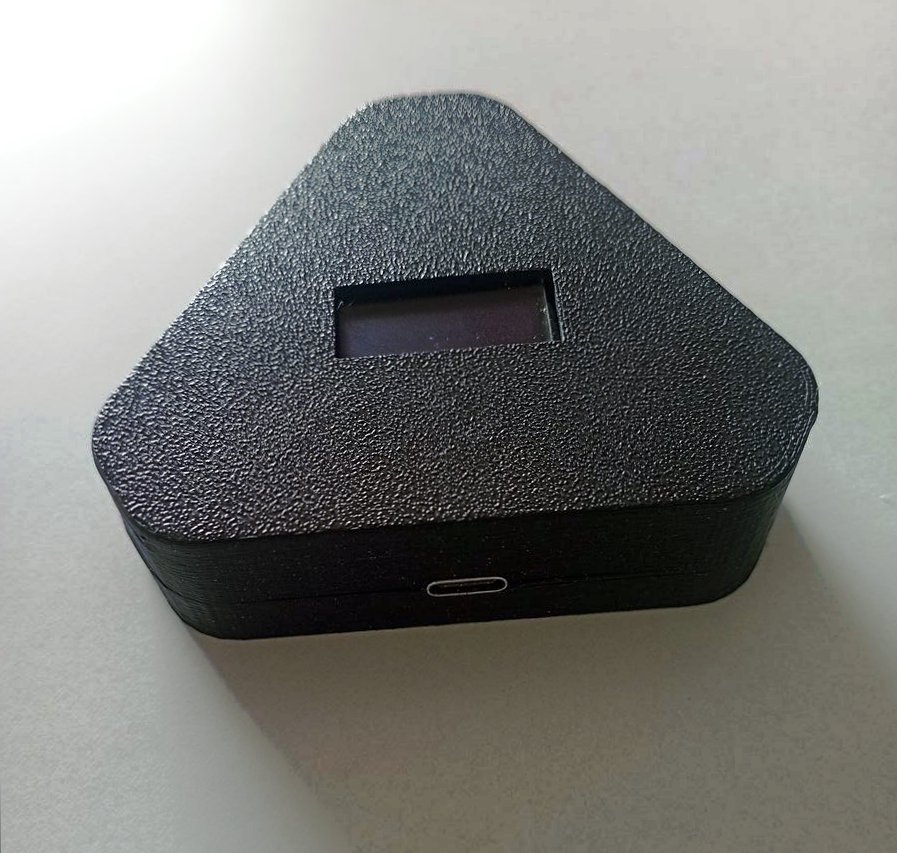
RemoDev Side ViewRemoDev Specifications Visualization

Versatile Use Cases

Empowering remote operations across critical industrial and IT sectors.

πŸ’»

Remote Management

Access systems in remote offices or restricted environments without travel.

🏭

Industrial Monitoring

Monitor and control machines deployed in factories or remote field sites.

πŸ› οΈ

Edge Debugging

Troubleshoot IoT and embedded devices without physical presence.

πŸ›‘οΈ

Secure IT Ops

Maintain secure access for IT teams managing distributed infrastructure.

Technical Specifications

Build quality and performance parameters for the RemoDev unit.

Power Input
5V DC via USB
Network
10/100 Mbps Ethernet (RJ45)
Communication
TCP/IP over LAN, VPN Secure Tunneling
Access Modes
Terminal (CLI), Web GUI
Security
Encrypted Communication, Secure Authentication
Cooling
Passive (Fanless)
Operating Temperature
0Β°C to 50Β°C
Weight
100 gm
Dimensions
50 x 50 x 10 mm
Mounting
Magnetic Base

Why Choose RemoDev?

✨Eliminates the need for on-site presence
✨Reduces downtime and operational costs
✨Enhances security with encrypted communication
✨Works independently of host OS
✨Ideal for scalable deployments

Streamline Your Remote Operations

Get terminal-level control over your distributed edge systems with enterprise-grade security.

Request a Quote